
Want to watch Xtreme HD IPTV directly on your Samsung or LG television? Good news: you don’t need a Firestick or an extra box. Modern Smart TVs can run IPTV player apps from their own app stores, and once a player is installed, your channels, movies and series appear right on the big screen. The only question is which app to choose, and that is exactly what this guide answers.
How Xtreme HD IPTV Works on a Smart TV
Samsung televisions use the Tizen operating system, and LG televisions use webOS. Neither system comes with an IPTV service built in, but both let you install an IPTV player. Think of the player as an empty TV box: it has no channels by itself. When you connect it to your Xtreme HD IPTV subscription, it fills with more than 20,000 live channels and 40,000 movies and series.
So you always need two things:
- A player app installed on your TV.
- An active Xtreme HD IPTV plan. You can pick one on our pricing page.
The Best Apps for Xtreme HD IPTV on Samsung and LG
| Player | Samsung | LG | Connection method | Ideal for |
|---|---|---|---|---|
| IBO Player | Yes | Yes | MAC address + device key | Recent TVs, best overall |
| IPTV Smarters | Some regions | Some regions | Username, password, URL | Typing your own login |
| Set IPTV | Yes | Yes | MAC address | Older and slower TVs |
| Smart IPTV | Yes | Yes | MAC address | Simple, lightweight use |
Note: which apps you see depends on your TV model, its year and your country. If an app is missing, try the next one in the list.
IBO Player: our first recommendation
For most Xtreme HD IPTV customers, IBO Player gives the best experience on a Smart TV. The interface is modern, channel switching is quick, the TV guide is clear, and movies and series have their own sections with posters. You don’t have to type anything long with your remote: the app shows a MAC address and a device key, you send them to our team, and we connect your playlist.
Good to know: IBO Player offers a free trial, after which its developer asks for a small one-time activation fee. This fee goes to the app maker and is separate from your Xtreme HD IPTV plan.
IPTV Smarters: the easiest login
If IPTV Smarters appears in your TV’s store, it is a great choice for people who like to enter their own details. Select Login with Xtream Codes API, type your username, password and server URL, and you are ready. Learn more about this login type in M3U vs Xtream Codes.
Set IPTV and Smart IPTV: for older televisions
These two players have been around for many years. Their design is simpler, but they are light and stable, which makes them ideal for Samsung and LG models from around 2016 to 2019 that struggle with heavier apps. Both use your MAC address and have a small activation fee after the trial.
How to Install a Player on a Samsung Smart TV
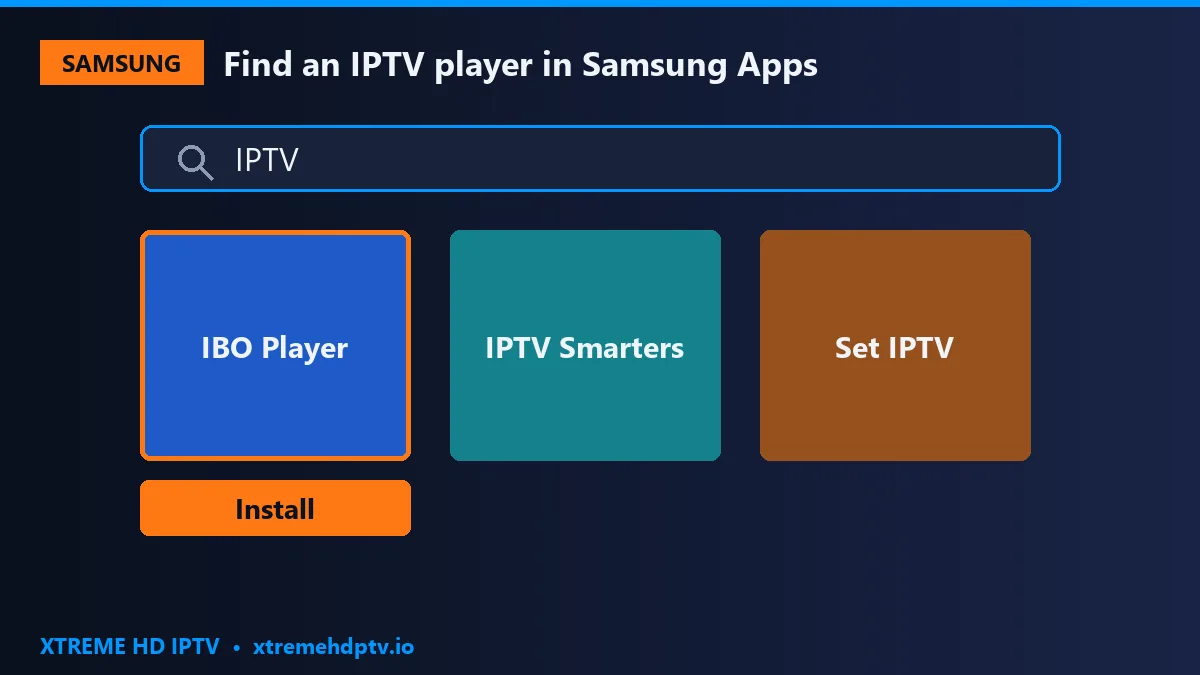
- Press Home on your Samsung remote.
- Open Apps and select the magnifying glass.
- Search for IBO Player (or another player from the table).
- Select it and press Install.
- Open the app. Take a photo of the MAC address and device key on the screen.
How to Install a Player on an LG Smart TV
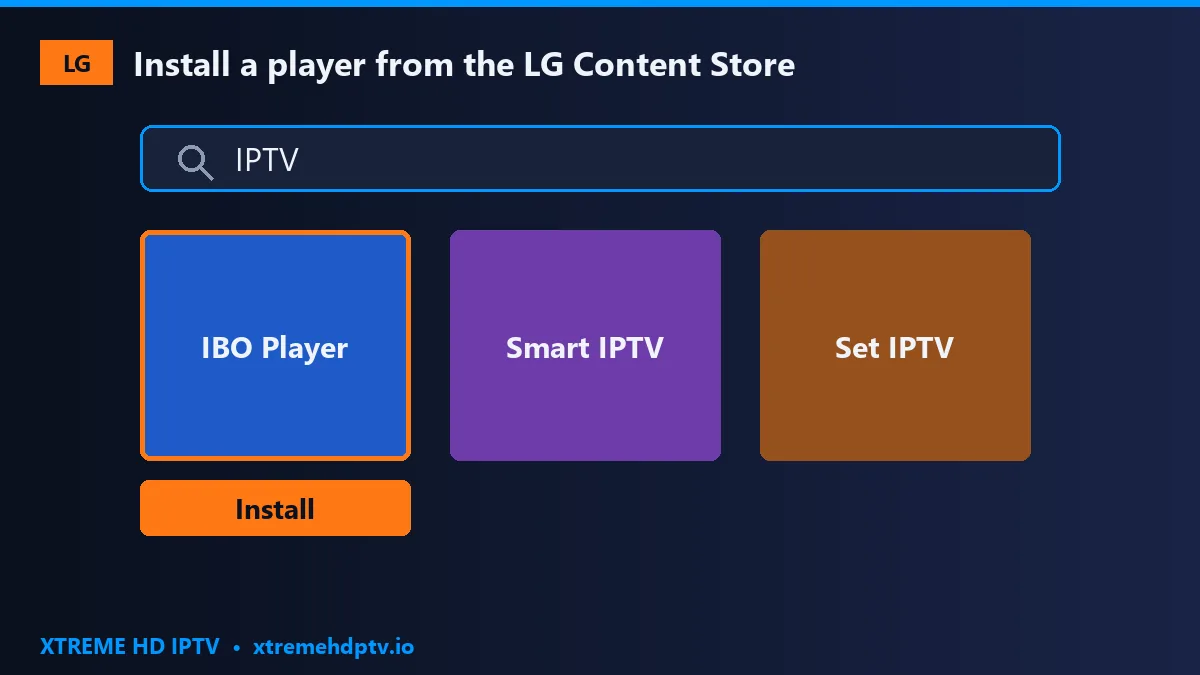
- Press Home on your LG remote.
- Open the LG Content Store (simply called Apps on newer models).
- Search for IBO Player, Set IPTV or Smart IPTV.
- Choose the app and select Install.
- Launch it and note the MAC address and device key.
Activating Xtreme HD IPTV on Your TV
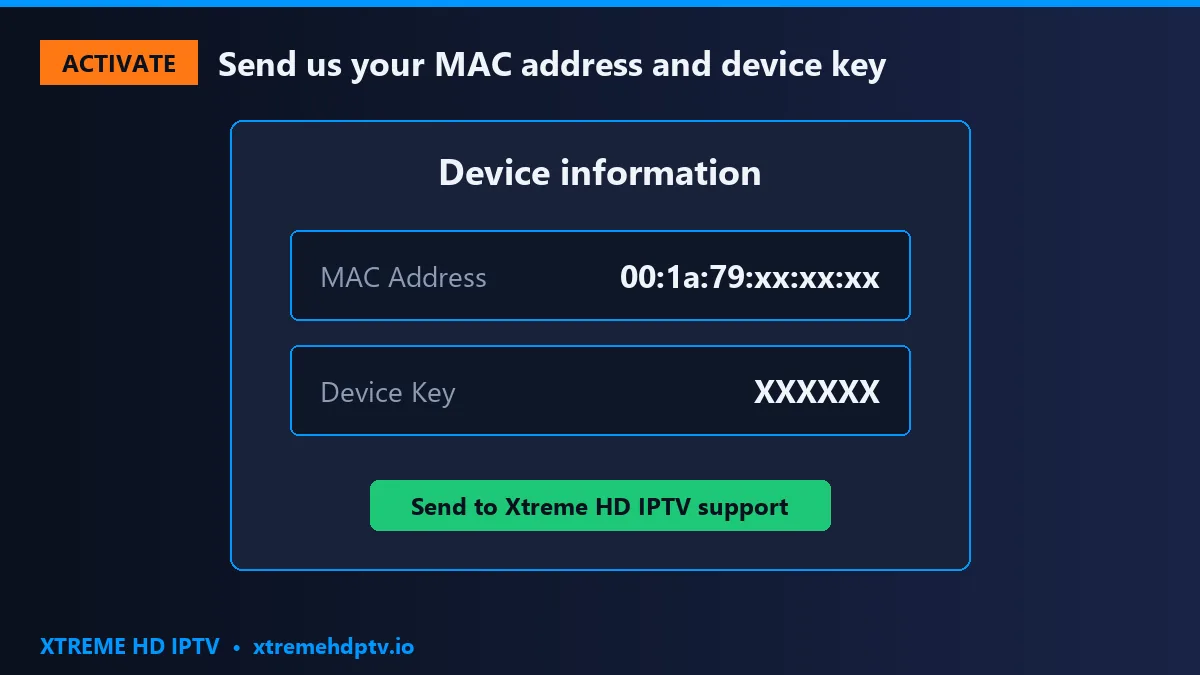
Once your player is installed, activation is quick:
- Order your plan. Delivery is instant.
- Send us the photo of your MAC address and device key through WhatsApp or our contact page.
- We link your playlist to your TV, usually within minutes.
- Restart the app. Your Xtreme HD IPTV channels load automatically.
Using IPTV Smarters instead? Skip the MAC address and sign in directly with the username, password and URL from your welcome message.
Which App Fits Your TV?
- Samsung or LG from 2020 onwards: IBO Player.
- You want to type your own login: IPTV Smarters, if available.
- Samsung or LG from 2016 to 2019: Set IPTV or Smart IPTV.
- Very old TV, or no player available: plug in a Firestick and follow our guide on how to install Xtreme HD IPTV on Firestick.
Getting the Best Picture on a Smart TV
- Use a network cable. The Wi-Fi chip inside many TVs is weaker than in a router or streaming stick.
- Check your speed. 4K channels need at least 25 Mbps. See what internet speed you need.
- Update the TV software from the settings menu.
- Fully unplug the TV for 30 seconds once a week to clear its memory.
- Use the TV guide to find matches and shows quickly. Read how to use EPG and Catch-Up.
Solving Common Smart TV Problems
The app isn’t in my store: availability changes by model and country. Try another player, or use a Firestick.
The playlist doesn’t appear: double-check the MAC address you sent. One wrong character is enough to stop it working. Then restart the app.
The picture freezes: restart the router and TV and connect with a cable if you can. Our guide on how to fix IPTV buffering covers every solution.
Frequently Asked Questions
Which is the best app for Xtreme HD IPTV on Samsung?
IBO Player. It is fast, modern and simple to activate with your MAC address.
Which is the best app for Xtreme HD IPTV on LG?
IBO Player as well. On older LG TVs, Set IPTV often runs more smoothly.
Do I pay for the player app?
Most players have a free trial and then a small one-time fee paid to the app developer. Your Xtreme HD IPTV subscription is a separate payment.
Can I watch 4K on my Smart TV?
Yes, if your television supports 4K and your connection gives at least 25 Mbps.
Looking for more help? Browse all our Xtreme HD IPTV setup guides and our IPTV tips and news.
Conclusion
Watching Xtreme HD IPTV on a Samsung or LG Smart TV only takes a few minutes: install IBO Player (or IPTV Smarters, Set IPTV or Smart IPTV), send us your MAC address, and start streaming. Not sure which player suits your model? Tell our 24/7 team your TV model and we will recommend the right one. For every other device, see our complete setup guide.
Need help with your IPTV?
Our team is available 24/7 to help you install and use your subscription on any device.
CONTACT US ON WHATSAPP