
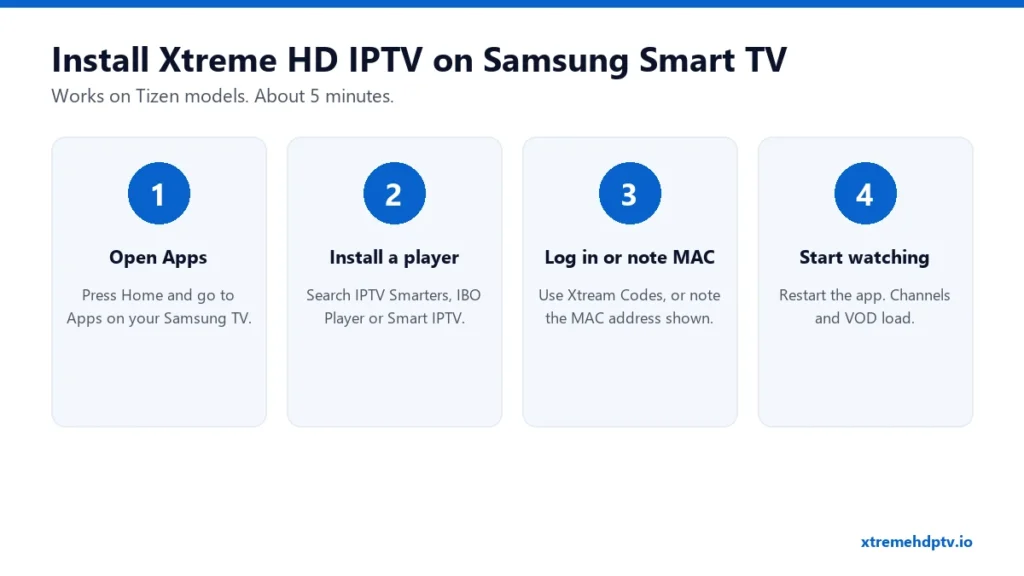
Samsung Smart TVs run Tizen, Samsung’s own system. You can’t sideload apps like on Android, so everything goes through the Samsung Apps store. The good news: there are solid IPTV players there, and once one is set up you can watch Xtreme HD IPTV with your normal Samsung remote. This guide takes you through it step by step and covers the problems Samsung owners run into most.
What You Need
- An active Xtreme HD IPTV subscription (see plans).
- Your login: username, password and server URL. Where to find it is explained in our login guide.
- Your Samsung TV online, ideally with a network cable.
Best Apps for Xtreme HD IPTV on Samsung
- IPTV Smarters: lets you log in directly with Xtream Codes, so there’s no website or MAC step.
- IBO Player: good-looking interface that’s quick with large playlists. It’s activated with a MAC address.
- Smart IPTV: very light. Useful on older Samsung models. Also MAC-based.
- Set IPTV: a good backup if the others aren’t available on your model.
Availability changes by TV year and country. Several of these apps offer a free trial and then a one-time activation fee to the app developer. That’s not part of your Xtreme HD IPTV plan.
Step-by-Step: Install Xtreme HD IPTV on Samsung Smart TV
Step 1: Open Samsung Apps
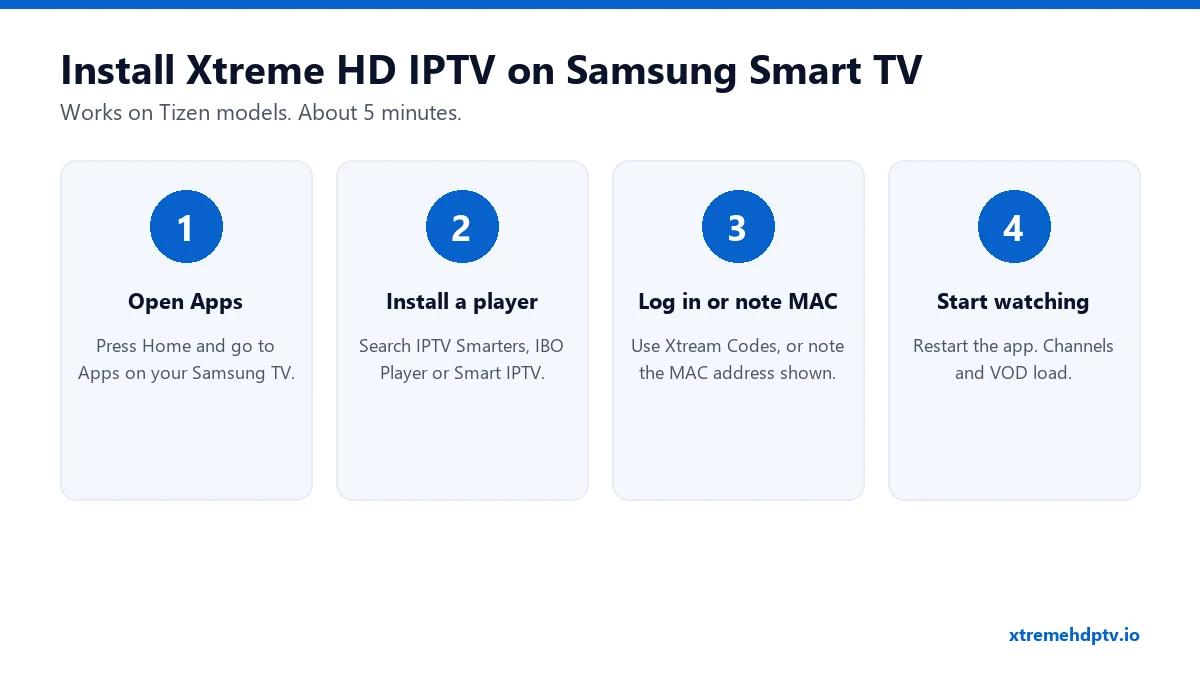
Press Home on your remote and go to Apps.
Step 2: Search and install a player
Select the search icon, type the app name (for example “IPTV Smarters” or “IBO Player”), then choose Install. When it’s done, open it.
Step 3a: If the app has an Xtream Codes login
- Choose Login with Xtream Codes API.
- Name: type “Xtreme HD”.
- Enter your username, password and server URL exactly as received.
- Select Add User and wait while the content loads.
Step 3b: If the app shows a MAC address
- Take a photo of the screen showing the MAC address and device key.
- Send it to support on WhatsApp. They’ll link your Xtreme HD IPTV line to it. Or add your M3U link yourself on the app’s website (see M3U URL guide).
- Close the app and open it again.
Step 4: Watch
Live TV, movies and series appear in their own sections. Let the TV guide load for a few minutes the first time.
Settings That Make a Difference on Samsung
- Use a cable. Samsung TVs are often mounted far from the router. A network cable removes most freezing during live events.
- Turn off Game Mode for IPTV unless you’re gaming. It can change picture processing in ways that make sports look worse.
- Set the clock to automatic and your correct time zone. If the clock is wrong, the TV guide shows the wrong programs.
- Do a cold boot once in a while. Samsung TVs rarely fully switch off. Holding the power button on the remote until the logo appears clears the memory.
Common Samsung TV Problems
I can’t find any IPTV app
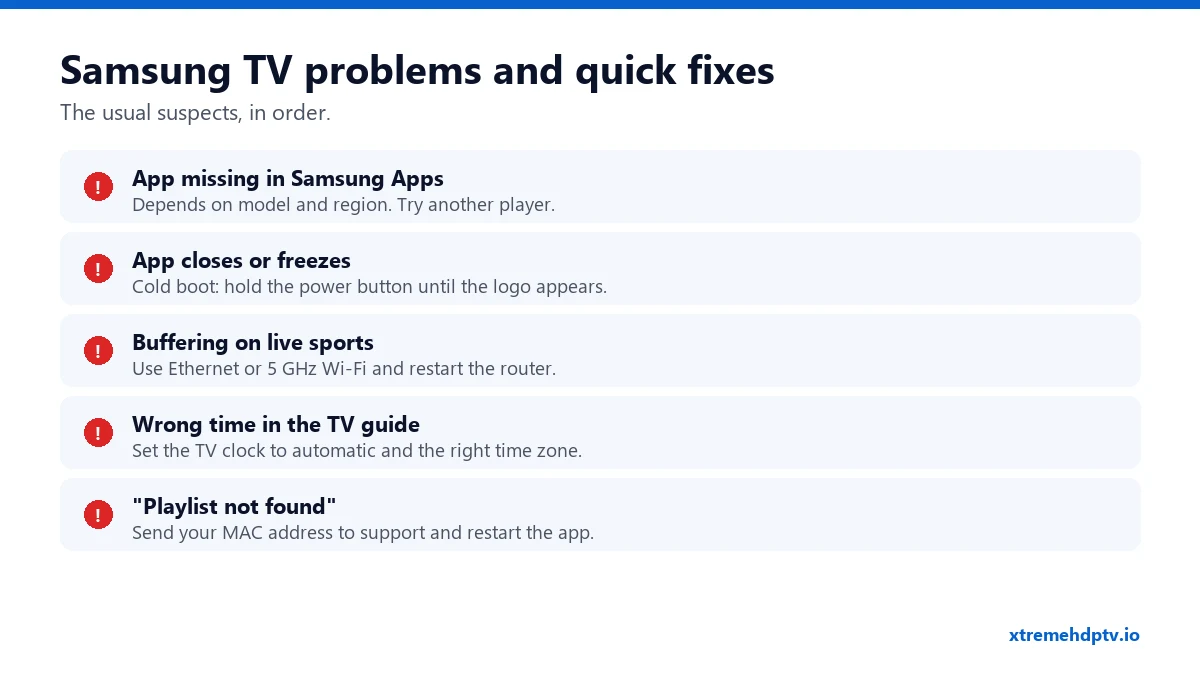
Some older or regional models have fewer apps. Try every player listed above. If none are available, a Firestick in an HDMI port is the quickest fix. Here’s the Firestick installation guide.
The app closes by itself
Do a cold boot (hold power until the logo shows), then reopen the app. If it keeps happening, delete the app and reinstall it.
Channels keep buffering
Restart the router and the TV, then switch to cable or 5 GHz Wi-Fi. Still happening? Work through our 9 buffering fixes.
The TV guide shows the wrong times
Go to Settings › General › System Manager › Time and set the clock to Auto with the right time zone. Then reload the EPG in the app.
FAQ
Which Samsung TVs work?
Most Tizen models from the last several years. If your TV has the Samsung Apps store and an IPTV player is listed, it works.
Do I need to pay for the app?
Some players are free, others ask for a small one-time activation after a trial. That’s paid to the app developer, separate from your subscription.
Can I record on a Samsung TV?
Most Samsung IPTV players don’t support recording, but catch-up works on supported channels. For recording, see how to record on Xtreme HD IPTV.
Need help with your IPTV?
Our team is available 24/7 to help you install and use your subscription on any device.
CONTACT US ON WHATSAPP