
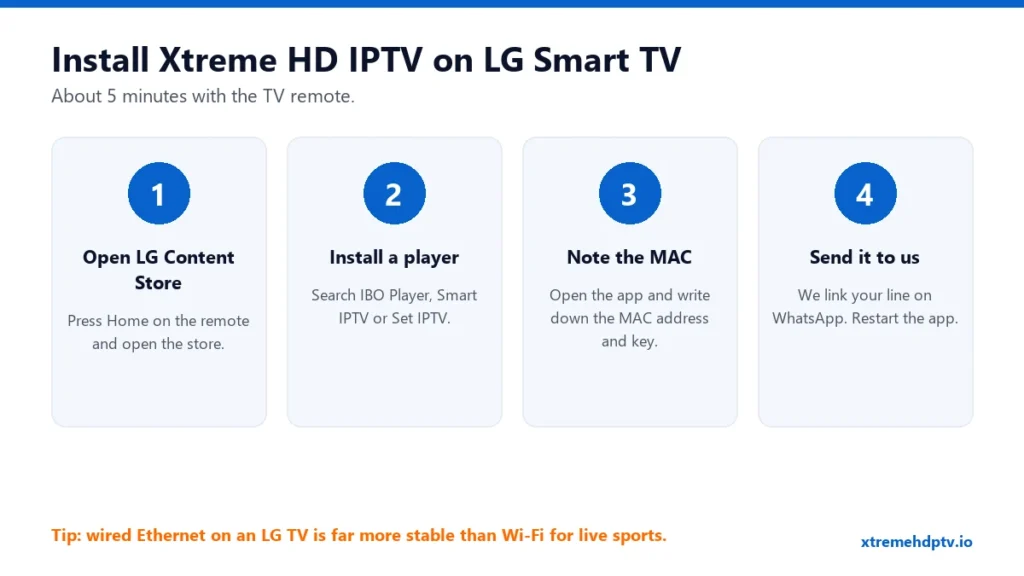
LG Smart TVs run webOS, and you can’t install apps from outside the LG store the way you can on a Firestick. That sounds like a problem, but it isn’t. There are good IPTV players in the LG Content Store, and once one is set up, you watch Xtreme HD IPTV straight from your TV with the normal remote. No stick, no extra box. Here’s how to do it.
Before You Start
- An active Xtreme HD IPTV plan. If you don’t have one yet, see the plans.
- Your LG TV connected to the internet. An Ethernet cable is best.
- About five minutes.
Which App to Use on an LG TV
These players are commonly available in the LG Content Store and work well with Xtreme HD IPTV:
- IBO Player: clean layout and handles large playlists well.
- Smart IPTV: simple and light, a good choice on older LG models.
- Set IPTV: another solid option if the others aren’t listed for your model.
Which apps appear depends on your TV’s model, year and region. If one isn’t listed, try the next. Most of these players offer a short free trial and then ask for a small one-time activation fee. That fee goes to the app developer, not to us, and it’s separate from your Xtreme HD IPTV plan.
For a side-by-side look at Smart TV players, read best apps for Xtreme HD IPTV on Samsung and LG.
Step-by-Step: Install Xtreme HD IPTV on LG Smart TV
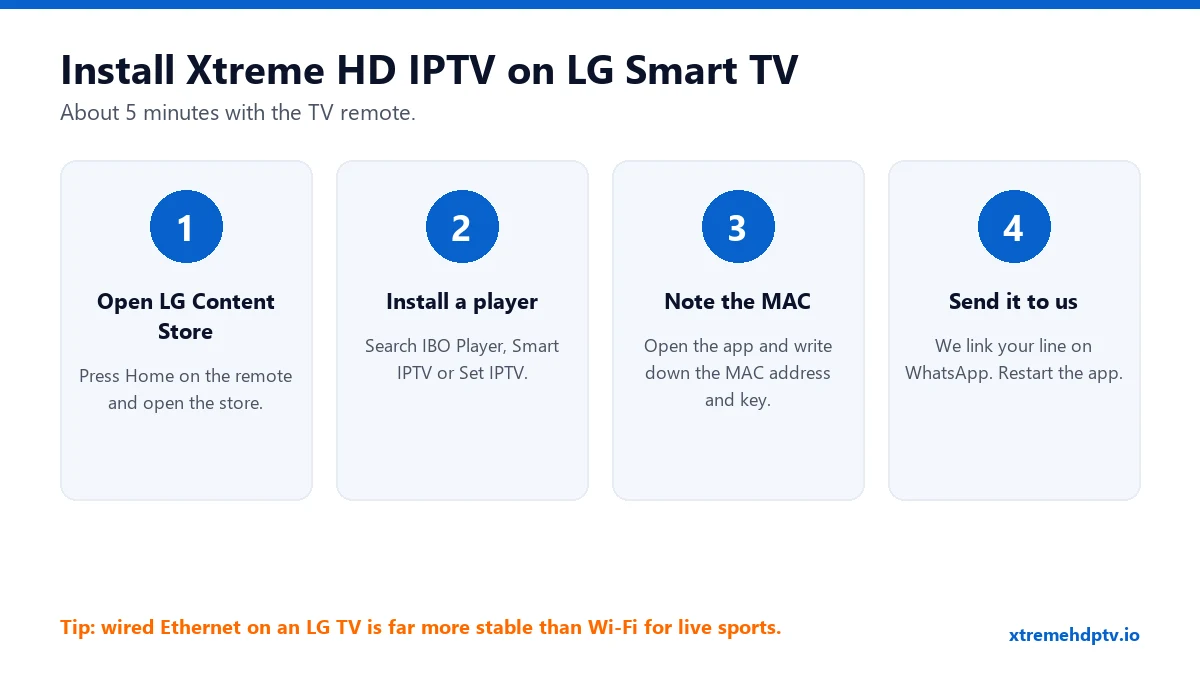
Step 1: Open the LG Content Store
Press the Home button on your remote and open LG Content Store (on newer models it may be called Apps).
Step 2: Install an IPTV player
Use the search icon and type the app name, for example “IBO Player”. Select it and press Install. When it’s done, press Launch.
Step 3: Write down the MAC address and device key
The first screen of the app shows a MAC address (it looks like a1:b2:c3:d4:e5:f6) and often a device key. Take a photo of the screen with your phone. It’s easier than copying it by hand.
Step 4: Link your line
You have two ways to do this:
- The easy way: send the photo to support on WhatsApp. They’ll add your Xtreme HD IPTV playlist to that MAC address for you.
- Yourself: go to the app’s website on your phone or computer, enter the MAC address and device key, and add your M3U link or Xtream Codes details. See how to use your M3U URL.
Step 5: Restart the app
Close the app completely and open it again. Your channels, movies and series appear. The TV guide can take a few minutes on the first load.
Get the Best Picture on an LG TV
- Plug in a cable. LG TVs with Wi-Fi often sit behind a cabinet or on a wall far from the router. Ethernet removes most buffering at once.
- Use 5 GHz Wi-Fi if a cable isn’t possible.
- Turn off Quick Start+ if the app acts strangely after the TV wakes up. It’s under Settings › General › Devices (the exact menu varies by year). A full power-off clears the app’s memory.
- Check your speed: 10 Mbps for HD, 20 Mbps+ for 4K. More in internet speed for 4K IPTV.
Common Problems on LG TVs
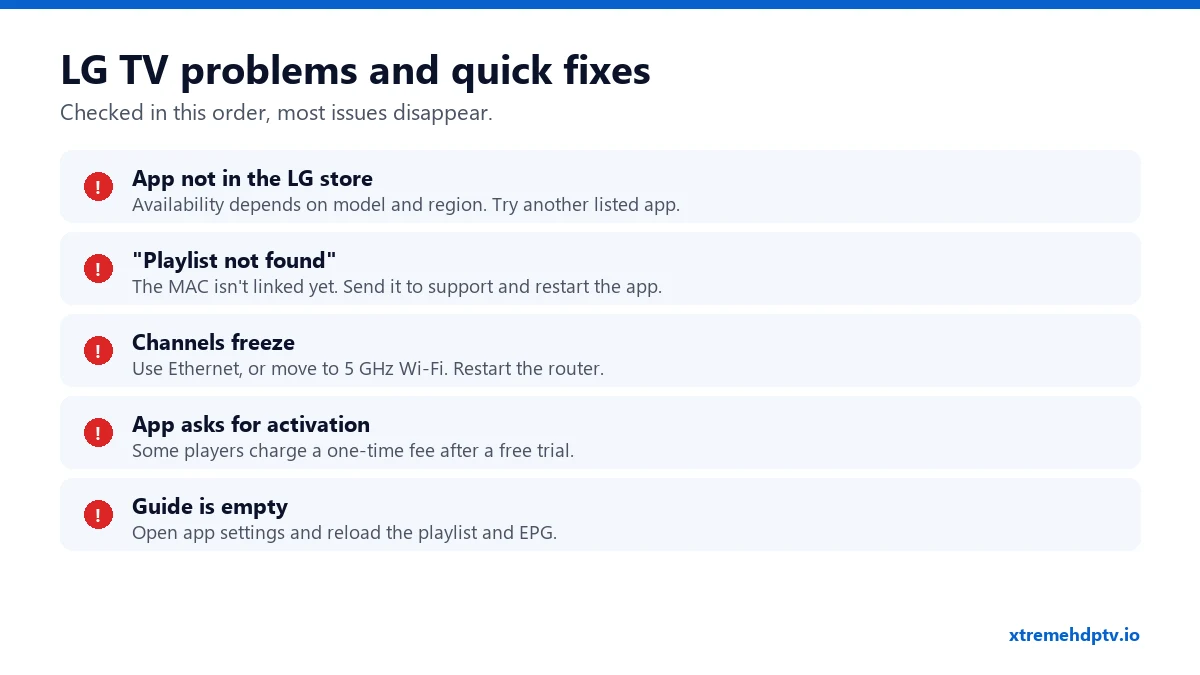
The app isn’t in my LG store
Not every app is published for every model and country. Try the other players listed above. If none show up, a Firestick plugged into the TV is the simplest alternative. Follow the Firestick guide.
“No playlist” or “Playlist not found”
Your MAC address hasn’t been linked yet, or it was entered with a typo. Double-check it, send it again to support, and restart the app.
Channels buffer or freeze
Restart the router and the TV (fully off, not standby), then try a cable. If it continues, go through our buffering fixes.
The app asks me to pay
That’s the player’s own activation after its trial period. It’s a one-time fee to the app developer. Your Xtreme HD IPTV subscription is separate.
FAQ
Do I need a Firestick for my LG TV?
No. A player from the LG Content Store is enough. A Firestick is only a backup if your model doesn’t list any IPTV player.
Can I use the same login on my LG TV and my phone?
Yes. Just remember your plan’s screen limit. With a 1-device plan, only one can play at a time.
Does the TV guide work on LG?
Yes, in players that support EPG. Reload the guide in the app’s settings if it’s empty.
Need help with your IPTV?
Our team is available 24/7 to help you install and use your subscription on any device.
CONTACT US ON WHATSAPP