
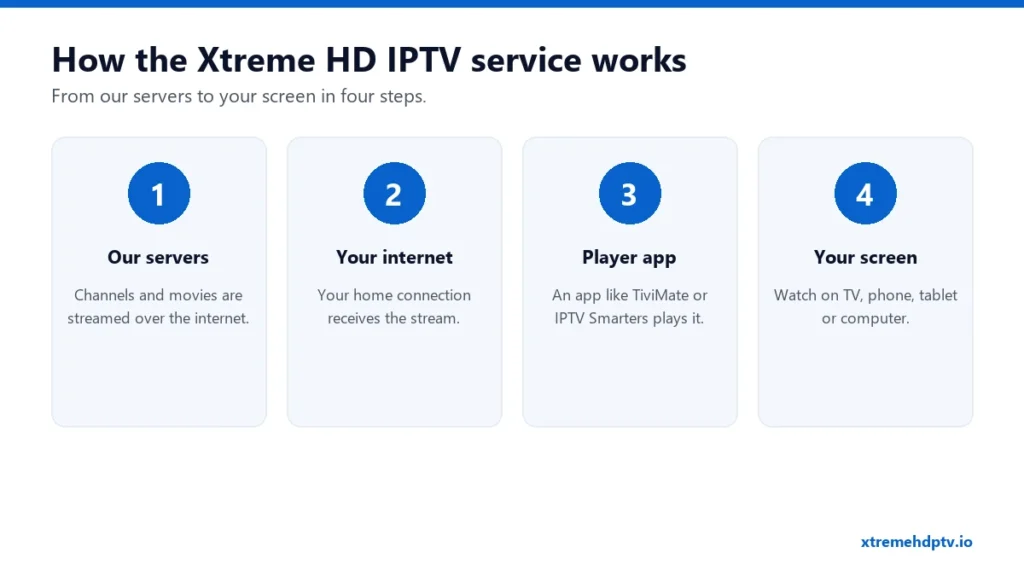
If you’ve never used IPTV before, the Xtreme HD IPTV service can sound more complicated than it is. You don’t need a dish, a cable box or a technician. You need an internet connection, a device you already own, and a free player app. This guide explains what you get, how it actually reaches your TV, and what to check at home before you pay.
What Is the Xtreme HD IPTV Service?
Xtreme HD IPTV is a subscription that sends live TV channels, movies and series to your devices over the internet instead of through cable or satellite. When you subscribe, you get a personal login. You enter that login in a player app, and the app loads the channel list, the TV guide and the on-demand library.
That’s the whole idea. The service provides the content and the servers. The app is just the “remote control” and screen you use to watch it.
What’s Included in Every Plan
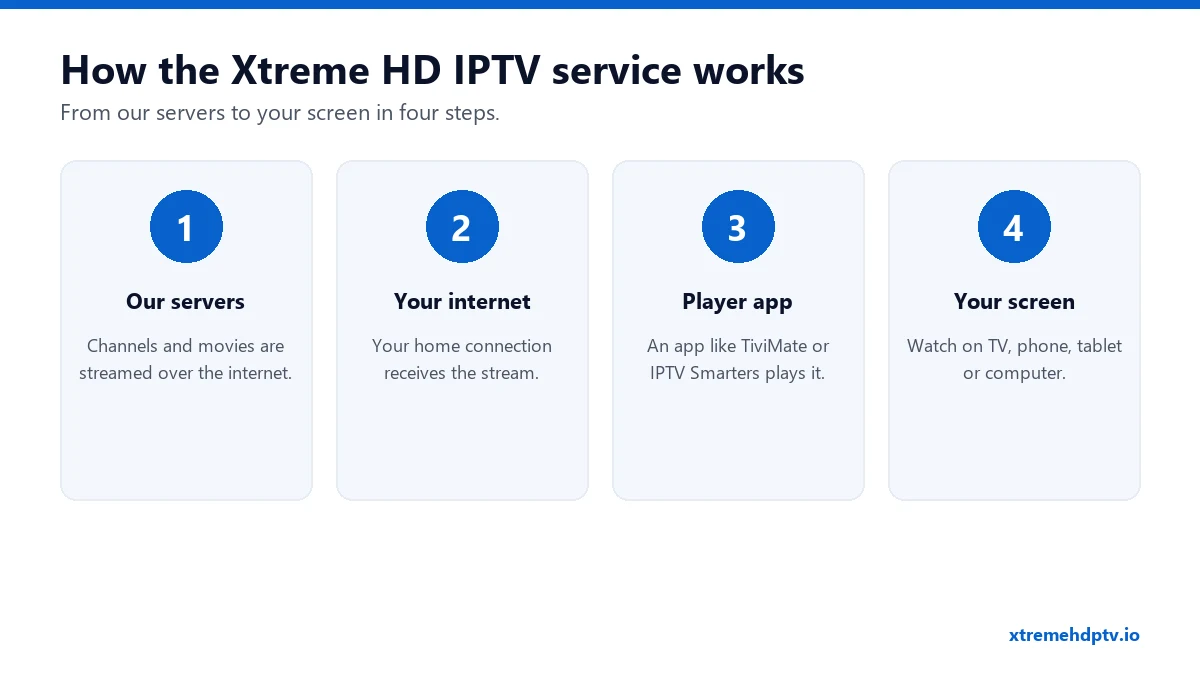
There are no channel packs or premium add-ons. Every subscription gets the full service:
- 20,000+ live channels from the US, UK, Canada and around the world. That includes sports, news, kids and entertainment.
- 40,000+ movies and series on demand, in HD and 4K where available.
- A TV guide (EPG) with real-time listings, plus catch-up on supported channels and apps.
- PPV events at no extra cost.
- Anti-Freeze servers built to handle busy live events.
- Instant delivery of your login and 24/7 support on WhatsApp and email.
The only choices you make are how many screens can watch at the same time (1 to 5) and how long the plan lasts. Plans start at $15.99 for one month. The full breakdown, with the real monthly cost of each plan, is in our Xtreme HD IPTV plans and setup guide.
Which Devices Work With the Service?
Almost anything with a screen and an internet connection:
- Amazon Firestick and Fire TV
- Android phones, tablets, TV boxes and Android TV / Google TV
- Samsung and LG Smart TVs
- iPhone, iPad and Apple TV
- Windows PCs and Macs
- MAG boxes and Enigma2 receivers
Each device uses a player app. On a Firestick or Android TV, most people use TiviMate or IPTV Smarters Pro. On a Smart TV it’s usually IBO Player, Smart IPTV or IPTV Smarters. Step-by-step instructions for each one are on our setup guide page.
What You Need at Home
Before you subscribe, check three things. They decide whether your experience is smooth or frustrating.
1. Internet speed
You need at least 10 Mbps for HD and 20 Mbps or more for 4K, per screen that’s watching. If three people watch at once, multiply. Run a speed test in the evening, not in the morning, because that’s when your network is busiest. More detail: what internet speed you need for Xtreme HD IPTV in 4K.
2. A stable connection to the TV
Speed isn’t everything. A strong 100 Mbps connection can still stutter if the TV sits two walls away from the router on 2.4 GHz Wi-Fi. If you can, use an Ethernet cable. If you can’t, use 5 GHz Wi-Fi.
3. A device with some free memory
Older Firesticks with little free storage are the most common cause of slow menus and crashes. Clear out apps you don’t use before you install your player.
How Long Does It Take to Start Watching?
For most people, about five minutes after payment:
- Pick a plan on the pricing page and pay.
- Your login arrives: a username, password and server URL, or an M3U link.
- Install a player app on your device.
- Choose “Login with Xtream Codes”, enter your details, and wait a few seconds while everything loads.
If you’re on a Firestick, follow the Firestick installation guide. On a Smart TV, see the best apps for Samsung and LG.
Who Is the Service a Good Fit For?
It’s a good match if you:
- want US, UK, Canadian and international channels in one place,
- watch a lot of live sports and PPV events,
- have several TVs and want one account for the house,
- are comfortable installing an app on your TV or streaming stick.
It’s probably not the right choice if your internet is slow or unreliable, or if you only watch two or three channels a week. In that case a single streaming app may be enough for you.
Things to Know Before You Buy
- Screens, not installs. A 1-device plan lets one screen play at a time. You can install the app on several devices, but only one can watch at once.
- Same household. Multi-device plans are meant for screens in one home.
- No refunds after delivery. Once a line is issued it can’t be reused, so paid subscriptions aren’t refundable. That’s why we suggest starting with one month.
- Help is included. If something doesn’t work, the support team will walk you through it on WhatsApp.
FAQ
Do I need a contract?
No. You pay for the period you choose. There’s no long-term contract and no cancellation fee.
Is a special box required?
No. A Firestick, Smart TV, phone or computer you already have will work with a free or low-cost player app.
Can I watch outside my home?
Yes, on your phone or laptop over any internet connection. Just remember that your plan’s screen limit still applies.
What if a channel doesn’t work?
Switch channels and come back, or restart the app. If it still fails, send the channel name to support and they’ll check it.
Need help with your IPTV?
Our team is available 24/7 to help you install and use your subscription on any device.
CONTACT US ON WHATSAPP