
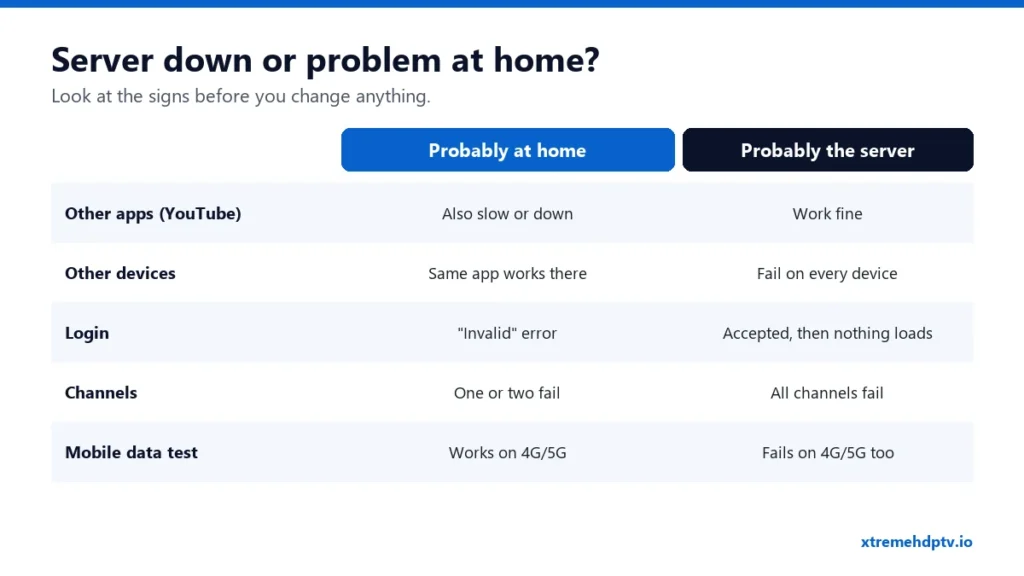
Nothing loads, the screen spins, and you wonder: is Xtreme HD IPTV down, or is it something at home? It’s worth knowing the difference before you start resetting things. If the server has a short issue, there’s nothing to fix at home and you’ll waste time. If it’s your network, waiting won’t help. Here’s how to tell in about a minute.
The 60-Second Check
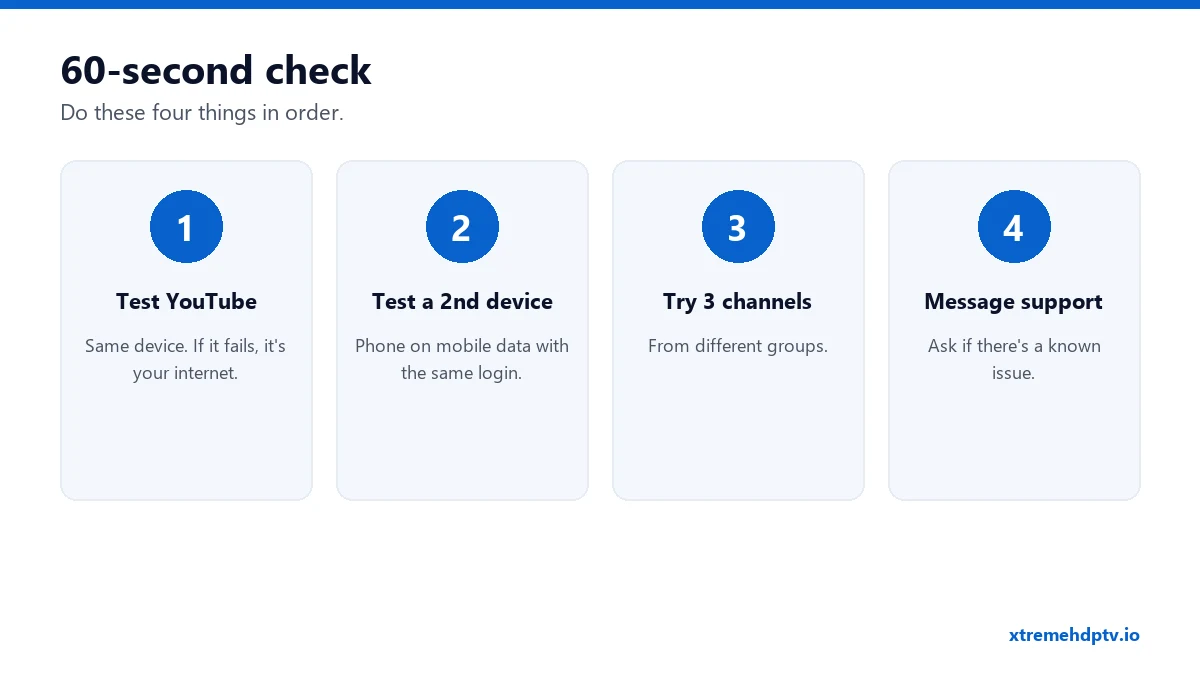
- Open YouTube on the same device. If YouTube is also slow or won’t load, the problem is your internet or the device, not Xtreme HD IPTV.
- Try a second device on a different connection. Turn off Wi-Fi on your phone, use mobile data, and open your player with the same login. If it works there, the issue is your home network.
- Try three channels from different groups (for example US news, UK sports, a movie). If only one fails, that single channel has an issue, not the whole service.
- Message support on WhatsApp (+1 (771) 218-2316) and ask whether there’s a known issue. They’ll tell you if something is being worked on.
Signs It’s the Server vs Signs It’s Your Home
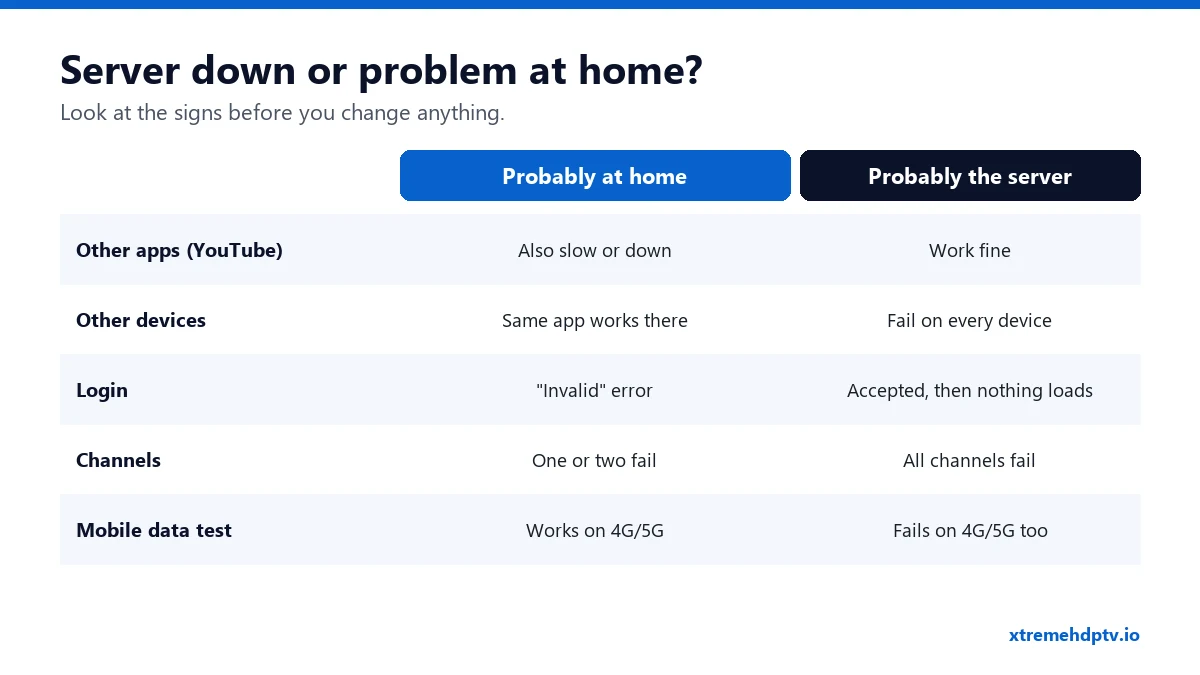
Probably your home or device if:
- other apps are slow too,
- it works on your phone using mobile data,
- you see “invalid username or password”,
- only one or two channels fail.
Probably a temporary server issue if:
- YouTube and other apps work fine,
- every channel fails on every device, including mobile data,
- the login is accepted but nothing plays.
If It’s at Home: What to Do
- Restart the router and the device (30 seconds unplugged).
- Turn off any VPN, or switch to a nearby server.
- Clear the player’s cache.
- Check that your plan hasn’t expired.
The full list, with device-specific steps, is in Xtreme HD IPTV not working: 10 fixes.
If It’s the Server: What to Do
- Don’t reinstall everything. Your setup is fine. Changing it only creates new problems.
- Wait 10 to 15 minutes and try again. Short interruptions are usually resolved quickly.
- Ask support for updates on WhatsApp instead of retrying every minute.
- During big events, try a backup version of the same channel if your list has one.
Why Busy Nights Feel Different
Big fights, finals and opening weekends bring a huge number of viewers at the same moment. Many home networks are also at their busiest in the evening. If you notice issues only during big events, it’s usually your home connection under pressure at peak time. A cable and a router restart before the event help more than anything else. See the buffering guide for game-day tips.
One Channel Down Isn’t the Service Down
With 20,000+ channels, now and then a single channel has a problem at the source. If one channel is black but others play, it’s a channel issue. Try its HD or backup version, and send the channel name to support so they can check it.
FAQ
Is Xtreme HD IPTV down right now?
Do the 60-second check above. If YouTube works and every channel fails on every device, message support for the current status.
How long do outages usually last?
Short interruptions are usually resolved within minutes. Support can tell you if anything bigger is going on.
Do I lose days on my plan when there’s an issue?
Ask support. They can look at your specific case.
Need help with your IPTV?
Our team is available 24/7 to help you install and use your subscription on any device.
CONTACT US ON WHATSAPP