
Sometimes the TV is taken, or you just want the game running on a second monitor while you work. Xtreme HD IPTV works on any Windows PC or Mac with a free player. This guide shows which app to use, how to set it up, and how to get a stable picture on a computer.
Which App to Use on Windows and Mac
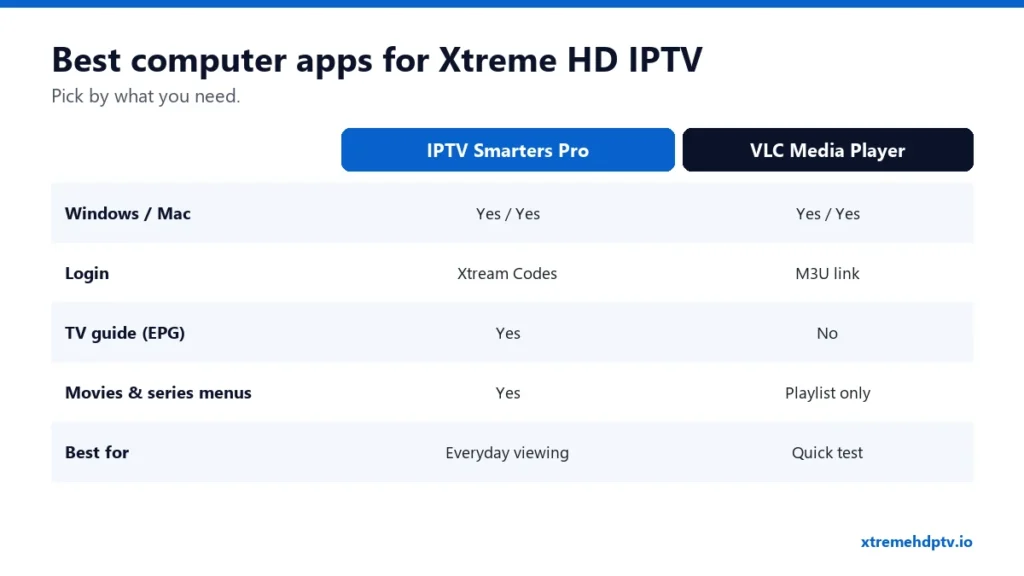
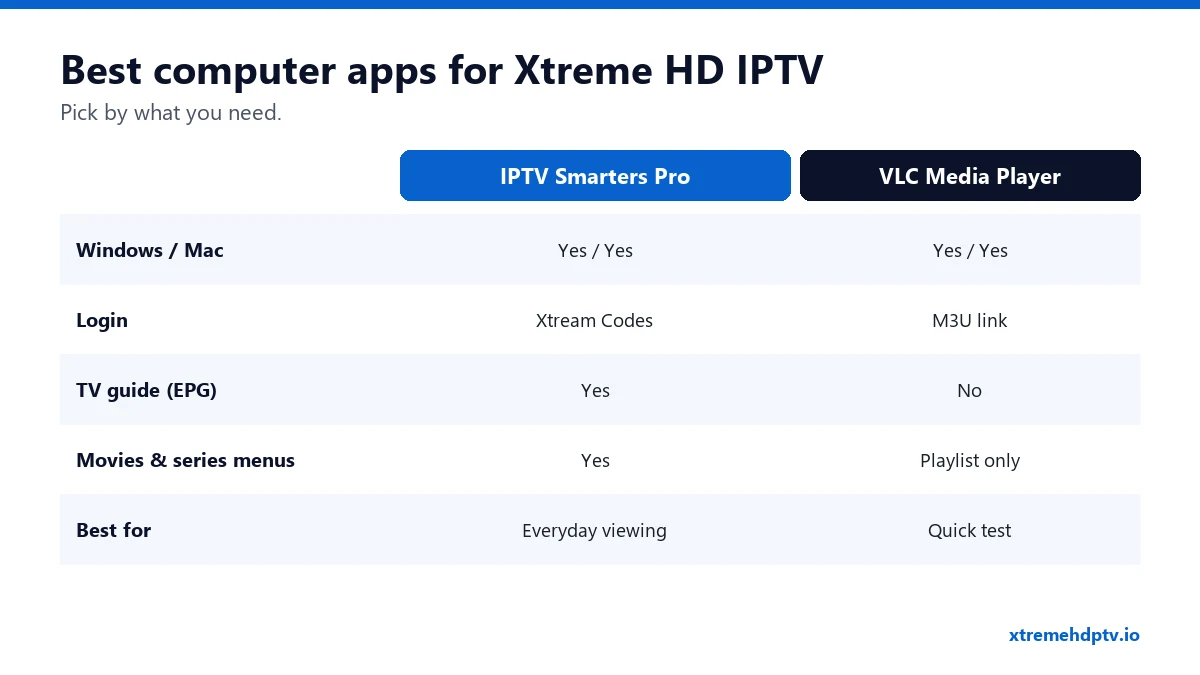
- IPTV Smarters Pro: the best all-round choice. It has an Xtream Codes login, a TV guide, and separate menus for live TV, movies and series. Available for Windows and macOS.
- VLC Media Player: free and already installed on many computers. It plays your M3U link, but there’s no real TV guide. Good for a quick test.
- MyIPTV Player (Windows, from the Microsoft Store): a simple player with EPG support.
Option 1: IPTV Smarters Pro (Recommended)
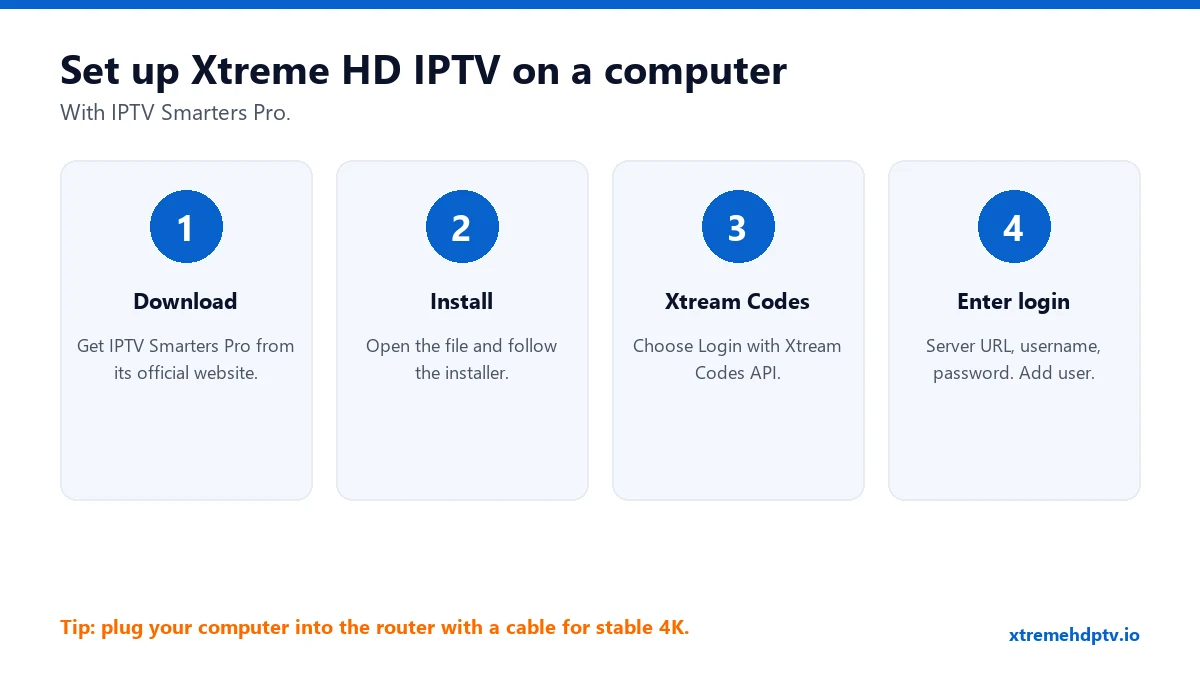
- Download IPTV Smarters Pro for Windows or Mac from its official website. Avoid download sites that bundle extra software.
- Run the installer. On Mac, drag the app into Applications. If macOS blocks it, open System Settings › Privacy & Security and choose Open Anyway.
- Open the app and choose Login with Xtream Codes API.
- Enter any name, then your username, password and server URL (with
http://and the port). - Click Add User. Channels, movies, series and the TV guide load in a few seconds.
Getting an error? Check the login guide. Most problems are a missing port number or an extra space.
Option 2: VLC With Your M3U Link
- Open VLC.
- Windows: Media › Open Network Stream. Mac: File › Open Network.
- Paste your Xtreme HD IPTV M3U URL and click Play.
- Open the playlist view (Ctrl + L on Windows) to browse channels.
VLC loads the full list in one go, so give it a moment with 20,000+ channels. Use the search box in the playlist to find a channel quickly.
Get the Best Picture on a Computer
- Use a network cable. Laptops on Wi-Fi in another room are the number one cause of freezing.
- Close heavy programs like games, video editors and big downloads while you watch.
- Turn off the VPN if your stream stutters, or switch to a server close to you. More in our VPN guide.
- Keep the laptop plugged in. Battery-saving modes can slow video playback.
Watch on the TV From Your Computer
Connect the computer to your TV with an HDMI cable and set the display to Duplicate or Second screen only. On Windows you can also press Windows + K to cast to a TV or Roku that supports Miracast. For everyday TV viewing, though, a Firestick or a Smart TV app is more comfortable. See the setup guide page.
Common Problems on Windows and Mac
Windows Defender or macOS blocks the app
Make sure you downloaded it from the official source, then allow it in your security settings.
Sound but no picture (or the other way round)
Update the app. In VLC, go to Tools › Preferences › Input / Codecs and set hardware-accelerated decoding to Disable, then restart VLC.
The picture freezes every few minutes
Switch to a cable, close other programs, and see the buffering fixes.
FAQ
Can I watch in a web browser?
Desktop players give a much more stable picture than browser-based options. We recommend IPTV Smarters Pro or VLC.
Does the computer count as one of my screens?
Yes. Each device playing at the same time counts toward your plan’s limit.
Is it safe to use on a work computer?
Check your company’s rules first. Many work networks block streaming apps.
Need help with your IPTV?
Our team is available 24/7 to help you install and use your subscription on any device.
CONTACT US ON WHATSAPP